Also in this release
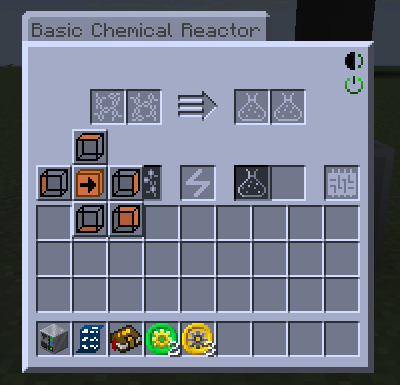
Output side selection in singleblock GUI
Electric single-block machines can move their output face from the GUI. Shift-click the item or fluid auto-output button and a small pad of side buttons opens; click one and the output moves to that face. Items and fluids share the one output face, which can be any side but the machine's front.
Shipped in: GT5-Unofficial #6909, GT5-Unofficial #6918
Watch on Discord - 1 video clip(s)
New Main Menu Backgrounds
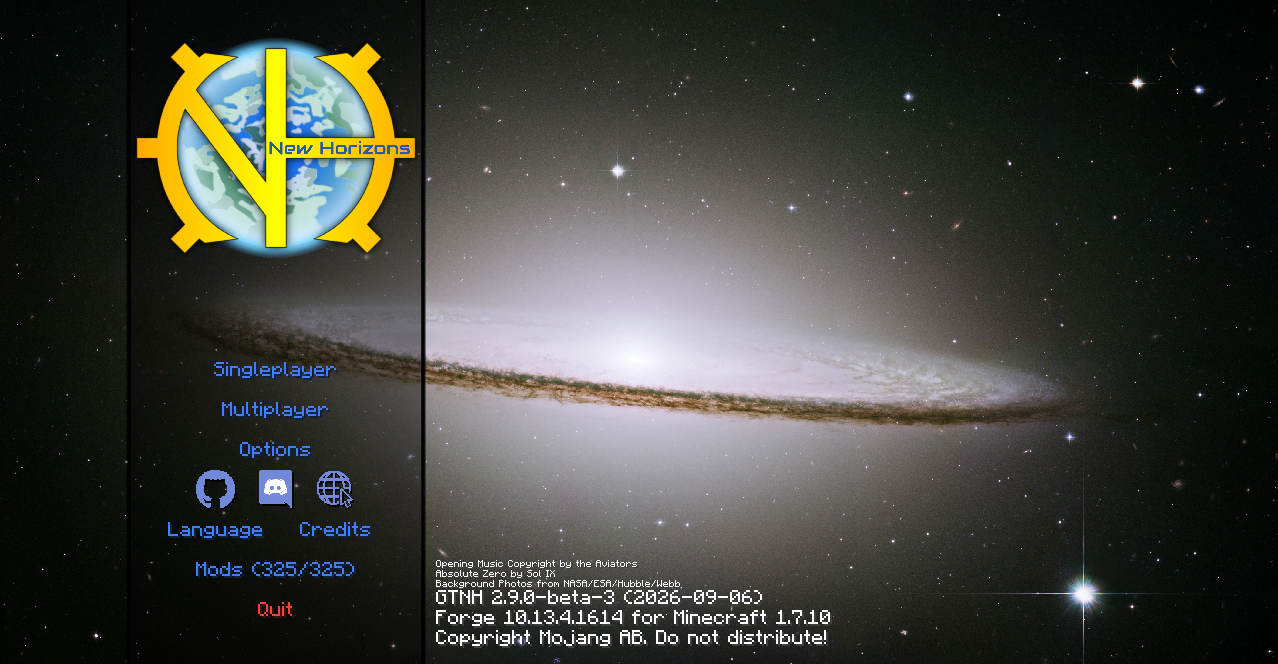
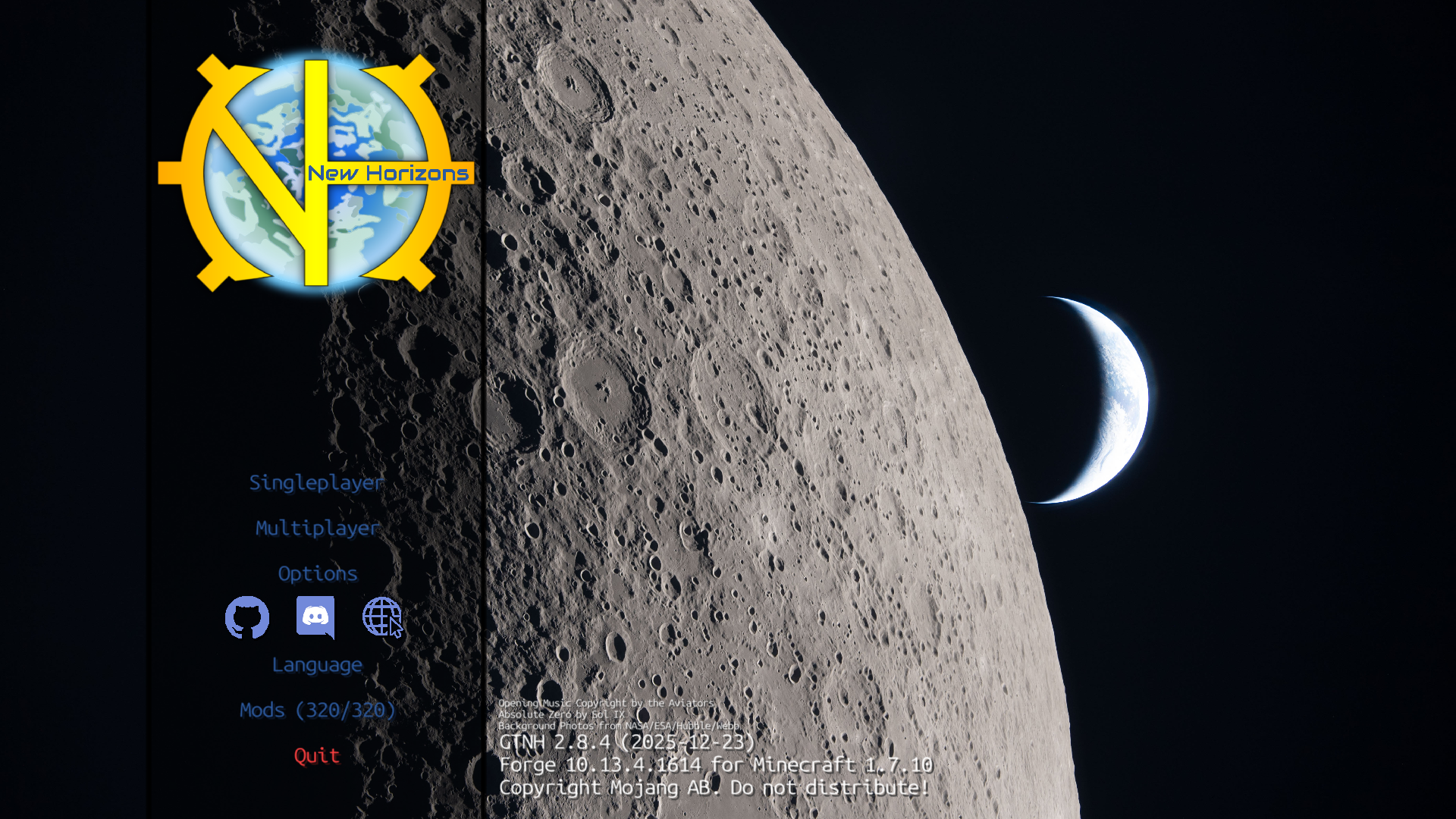
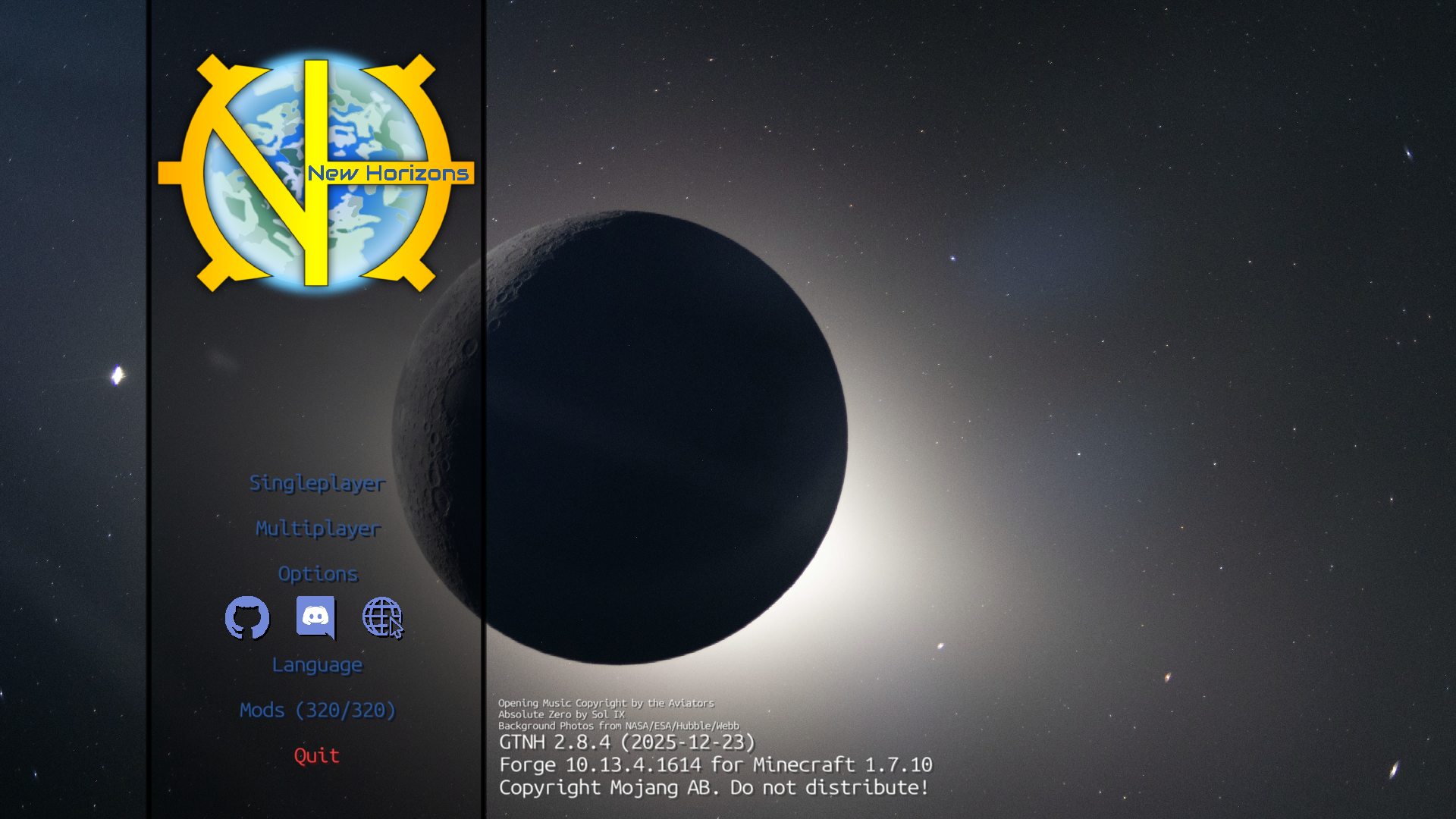
The main menu cycles through 23 new background photos from NASA and ESA in random order: Hubble and James Webb Space Telescope images, and Moon and Earth shots from the Artemis II mission. The classic GTNH background stays in the rotation. The menu itself has a translucent button column, a credit line for the photos and a Discord button that opens discord.gg/gtnh.
Shipped in: GT-New-Horizons-Modpack #24666, GT-New-Horizons-Modpack #22014, GT-New-Horizons-Modpack #24765
Keybinding improvements
The Controls screen has a visual keyboard. The Key Map button opens it to show every key, green when bound and red on a conflict, and the small keyboard button beside each binding opens it to pick that binding's key. With lwjgl3ify the keys are labelled by your keyboard layout, so on a non-QWERTY layout you see the key you are actually binding.
A keybind can also take a modifier now: hold Ctrl, Alt or Shift while pressing the key. Inside a GUI such a bind also reacts to its key alone, without the modifier.
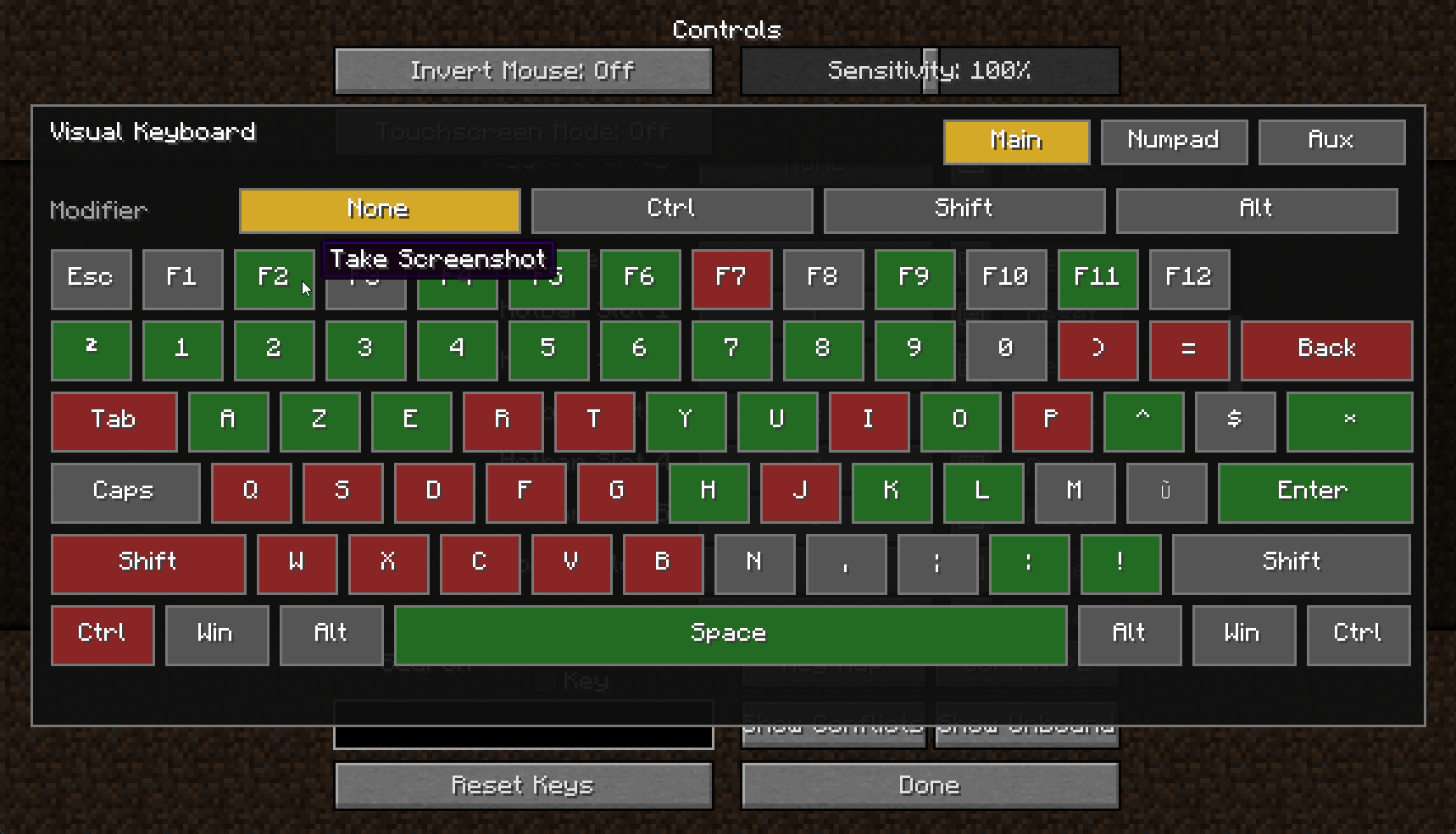
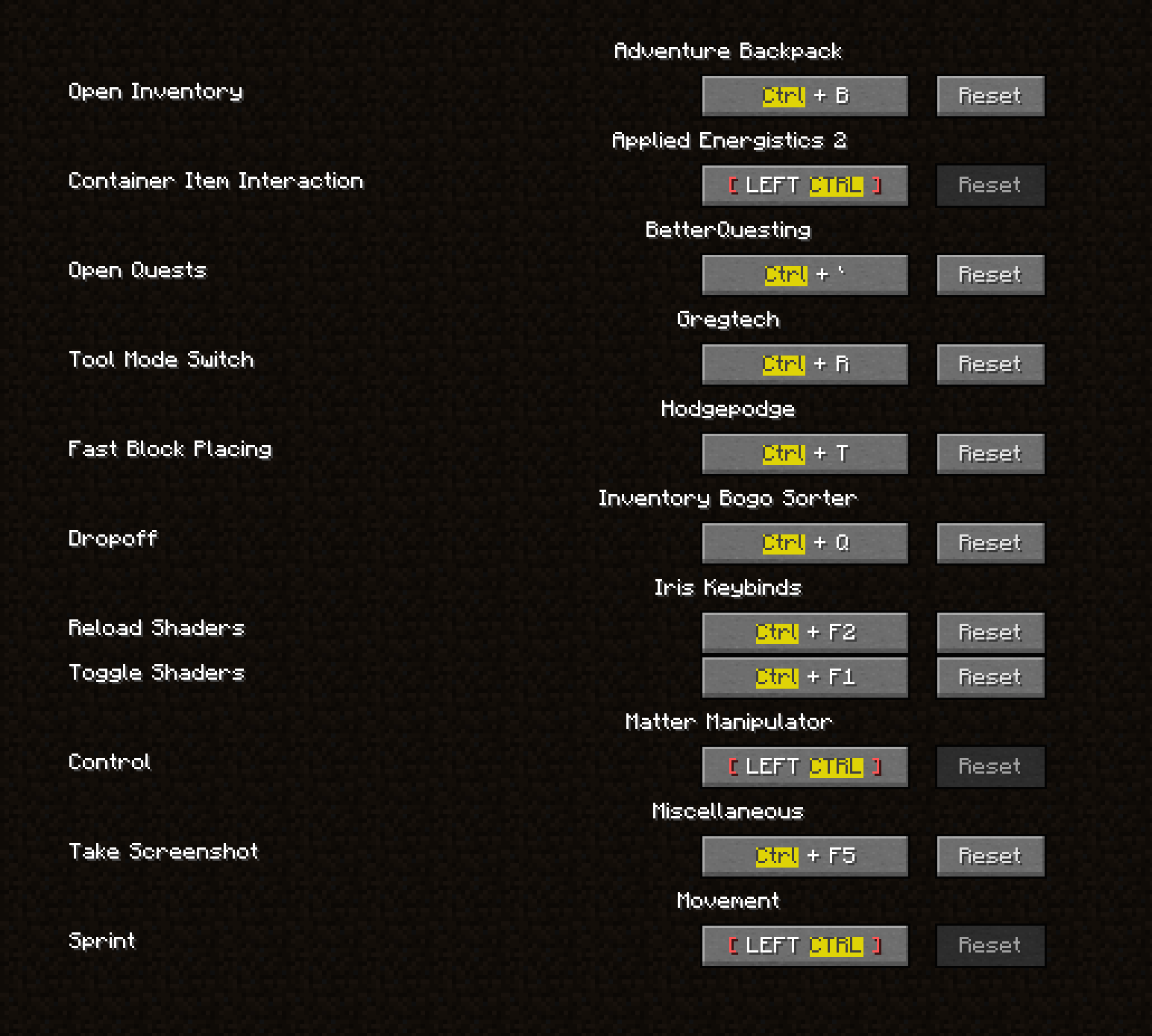
Shipped in: Controlling #15, Controlling #8, Controlling #12
Watch on Discord - 1 video clip(s)
Crafting Station lays out large inventories around the grid
The Crafting Station lays a large attached inventory out around the crafting grid: the panel widens to the left and wraps over the top of the grid, and a scrollbar appears only when even that does not fit. Inventories of up to 60 slots keep the six-column panel. Setting classicCraftingStationLayout to true in the Looks section of config/TinkersConstruct.cfg brings back the old panel of at most 10 rows that scrolls.
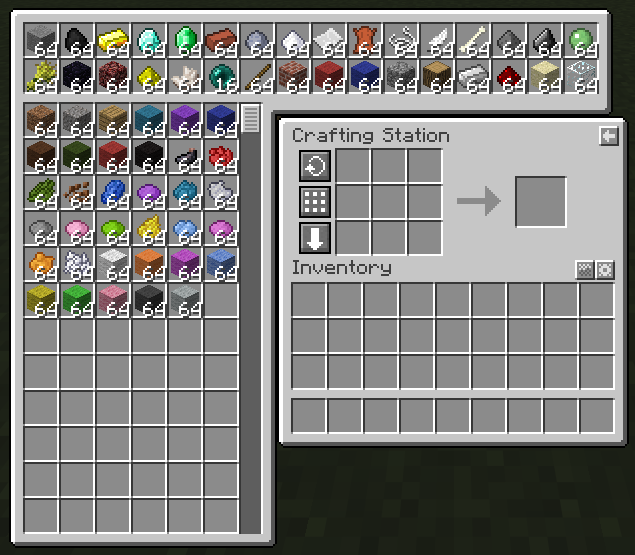
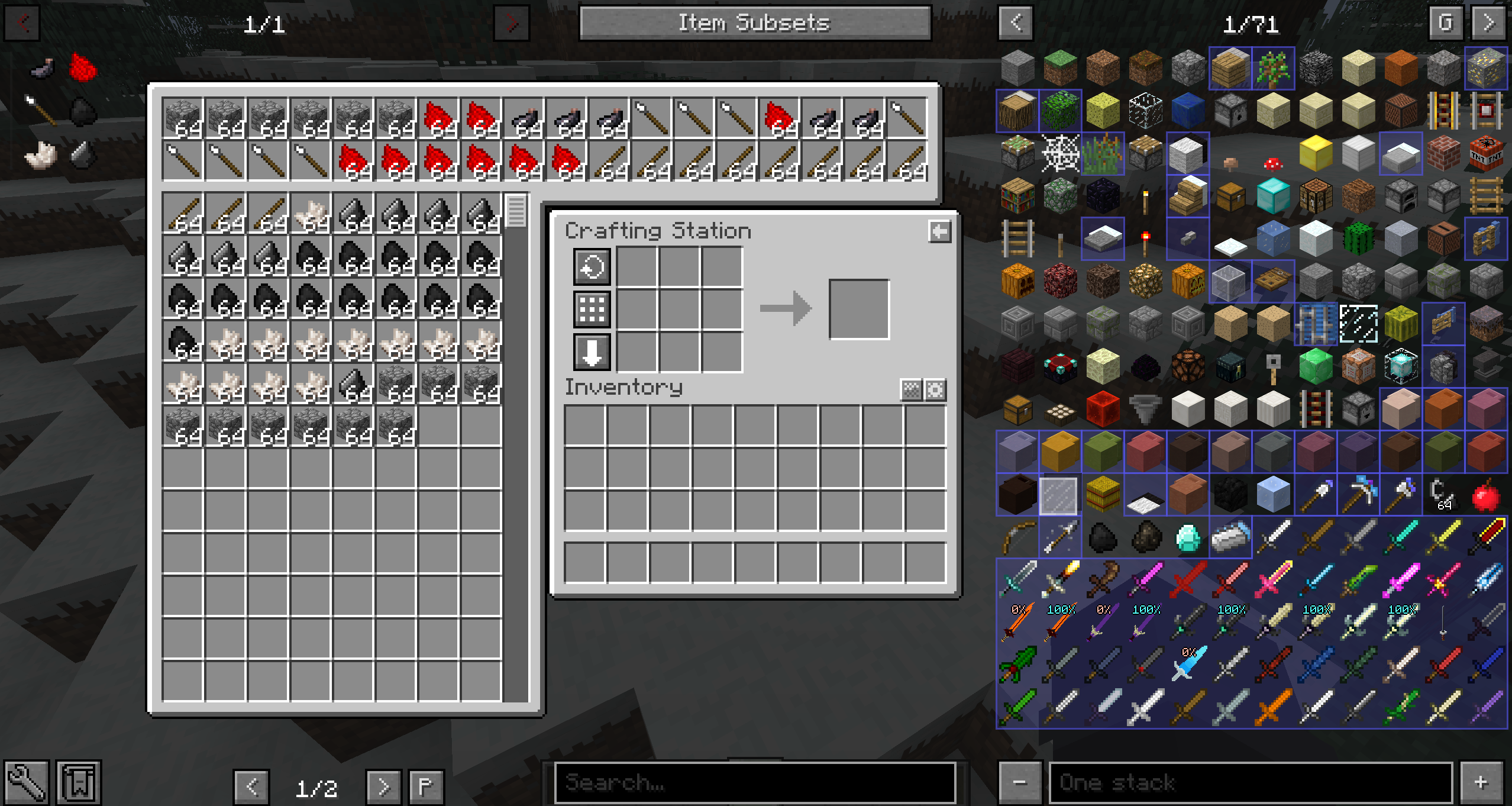
Shipped in: TinkersConstruct #317, TinkersConstruct #334
Watch on Discord - 1 video clip(s)
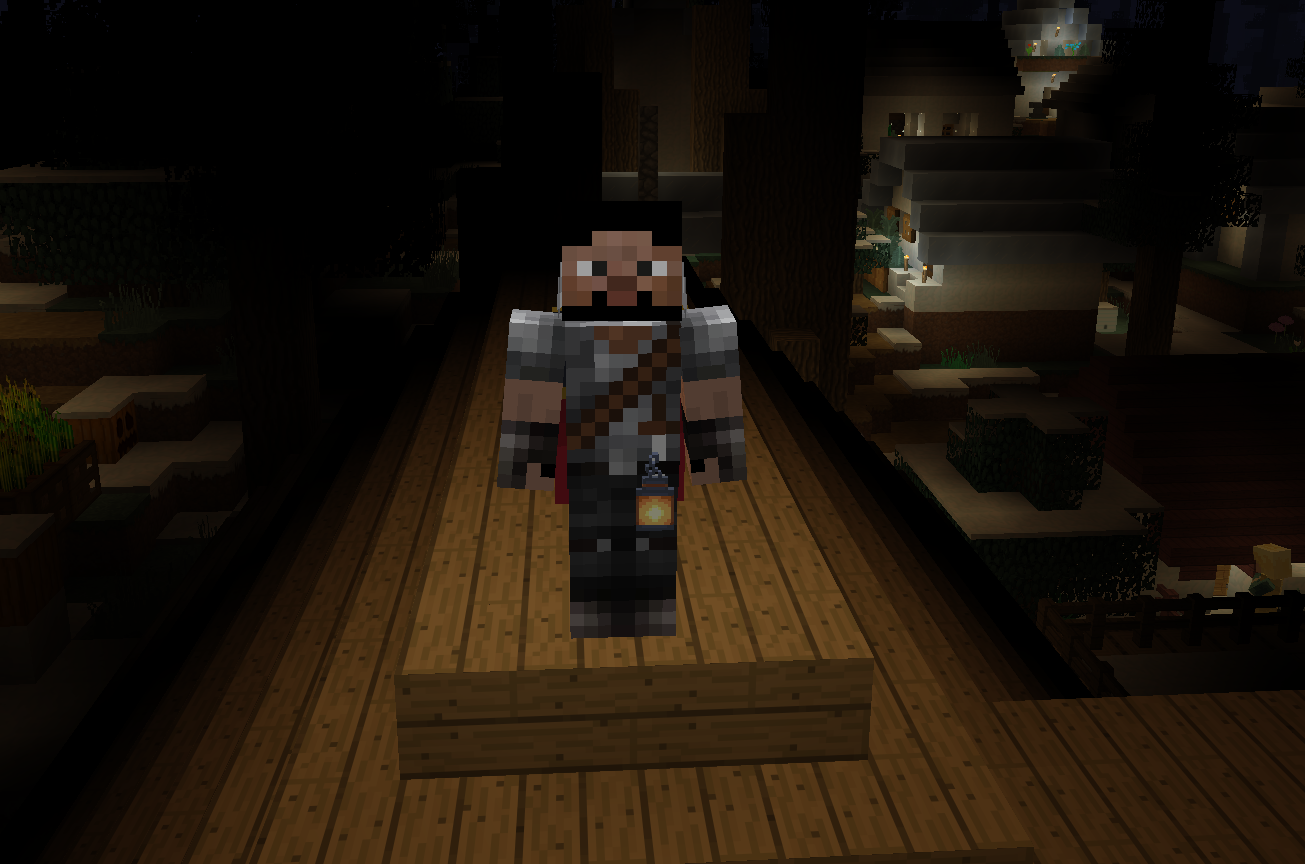
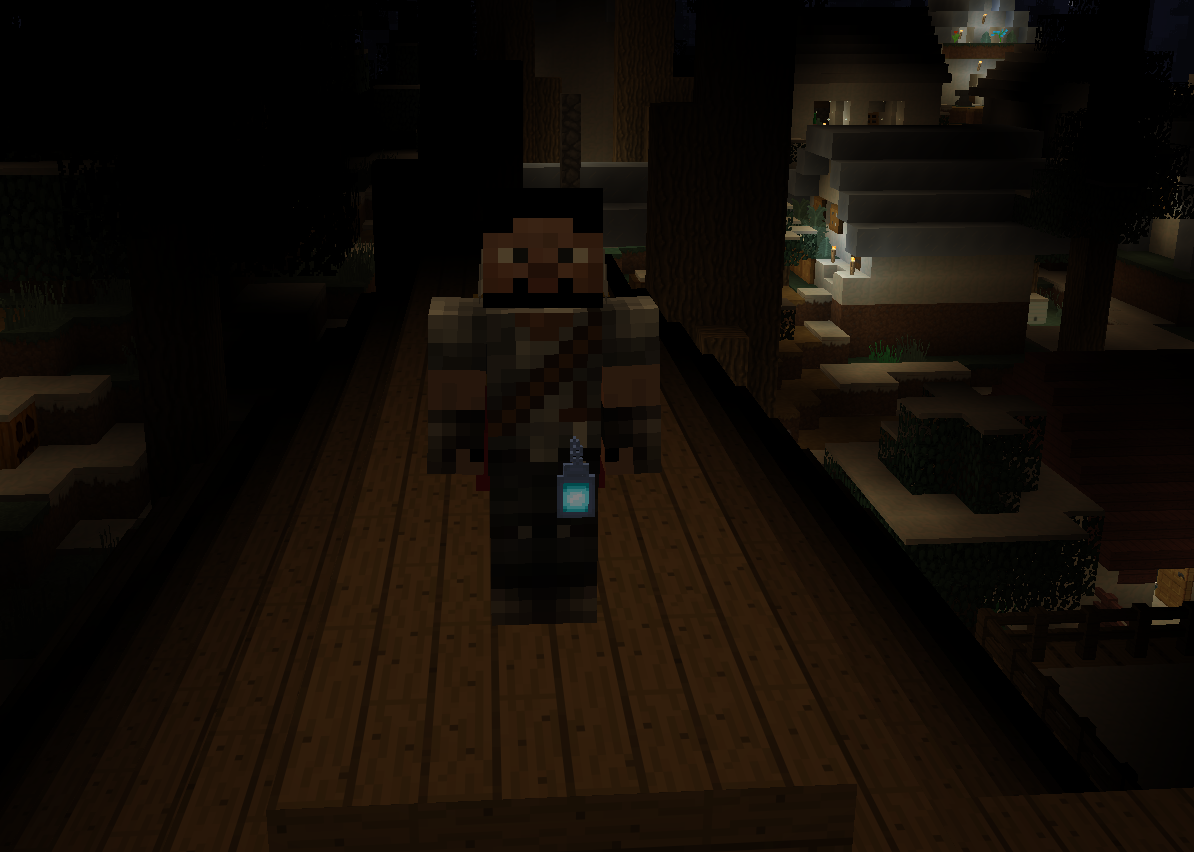
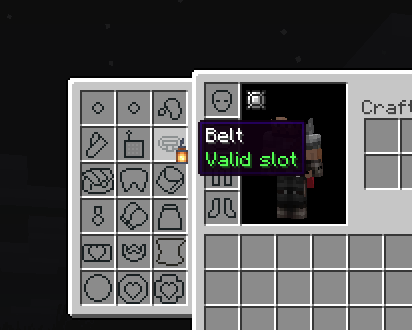
Belt Lantern Support
The Lantern and Soul Lantern from Et Futurum Requiem can now be worn in a Baubles-Expanded belt slot, freeing your hands while Angelica's dynamic lighting keeps lighting your way.
Shipped in: Et-Futurum-Requiem #107
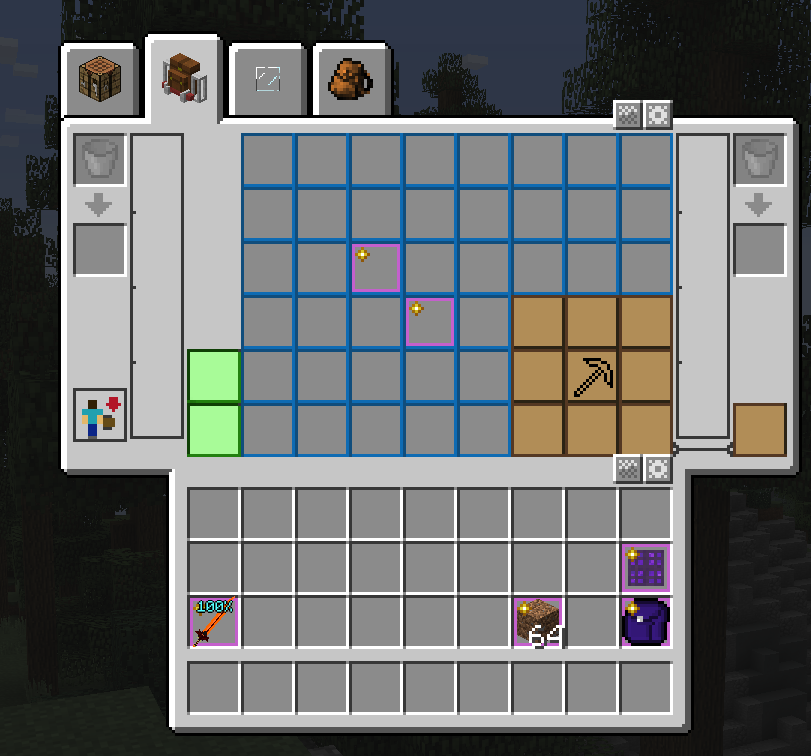
Pinnable inventory and backpack slots
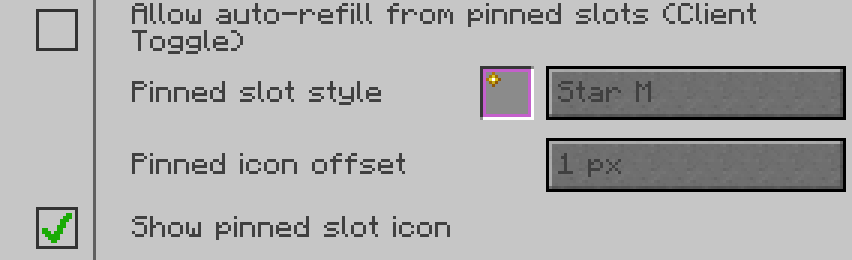
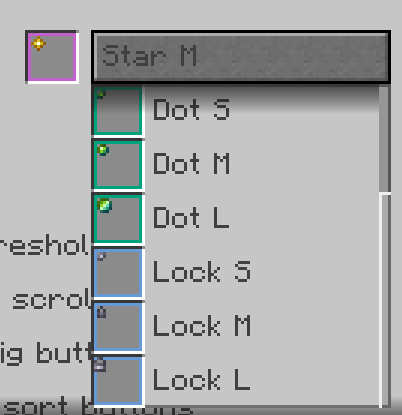
Pin important items in place by Ctrl+Middle-clicking slots in your inventory, backpacks and adventure backpacks. Sorting, drop-off and BogoSorter's move and throw shortcuts then skip that slot and never fill it. Auto-refill leaves it alone too, unless you allow it. A pinned slot shows an outline and an icon; the BogoSorter config, behind the gear button on the inventory, sets the icon to one of 9 styles, moves it or hides it.
Shipped in: InventoryBogoSorter #215
ArchitectureCraft shapes shade like full blocks
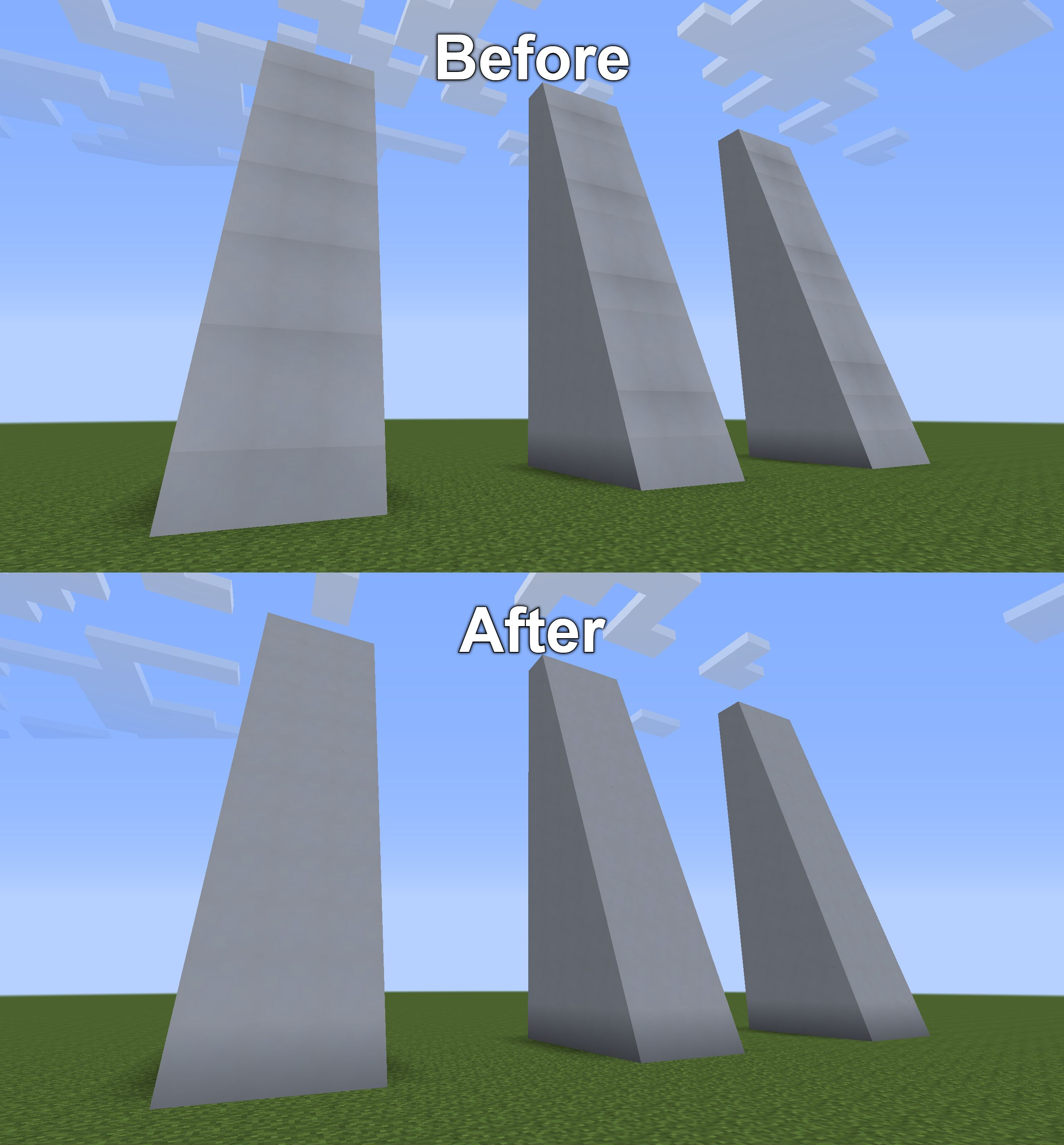
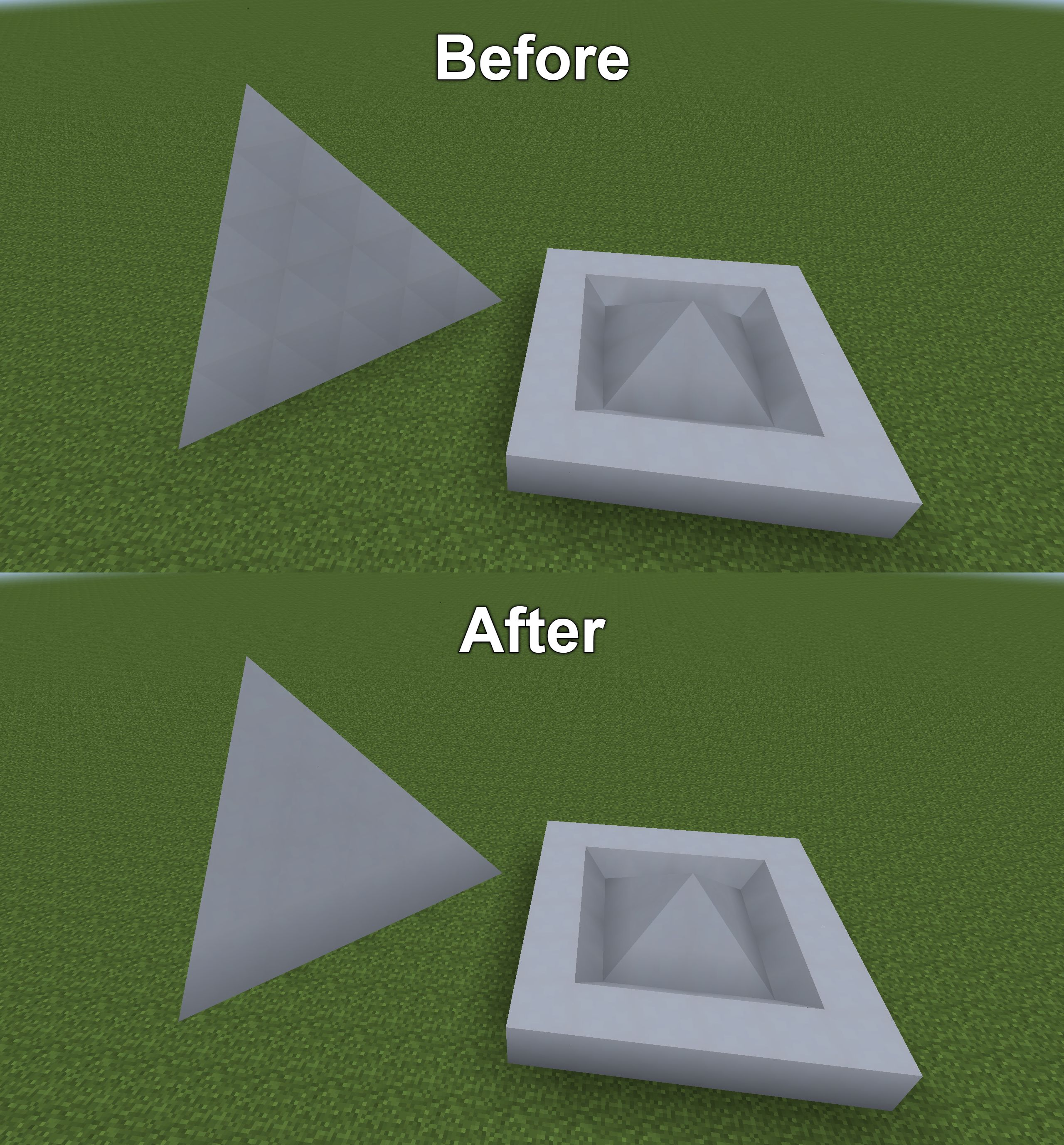
ArchitectureCraft shapes are shaded the way vanilla shades full blocks. Slopes no longer show a dark horizontal band at each block boundary, and a shape next to a full block matches its shade. With a shader pack on, shapes no longer turn dark depending on which way they face.
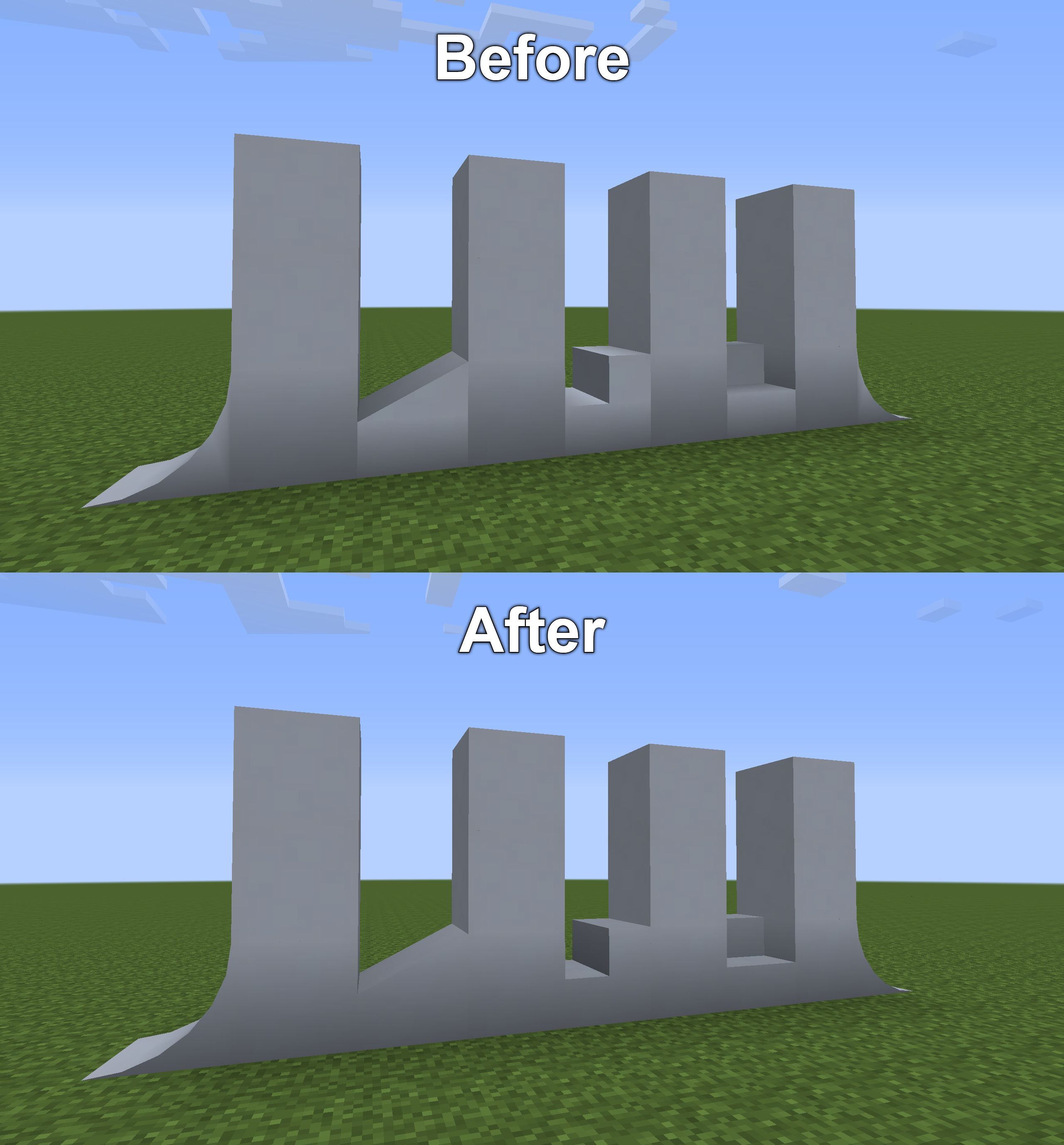
Shipped in: ArchitectureCraft #32, ArchitectureCraft #48
Custom JourneyMap Mob Icons
Mobs from Twilight Forest, Witchery, Thaumcraft, Special Mobs, Galacticraft, Hardcore Ender Expansion and most other mods in the pack show their own icon on the JourneyMap minimap and full map, where they used to show a generic placeholder. The horse icons were redrawn to sit upright in their markers.
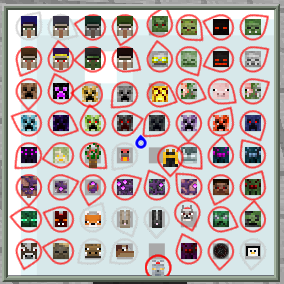
Shipped in: GT-New-Horizons-Modpack #23259, GT-New-Horizons-Modpack #23294, GT-New-Horizons-Modpack #23547
NEI ore pages show each world's vein chance
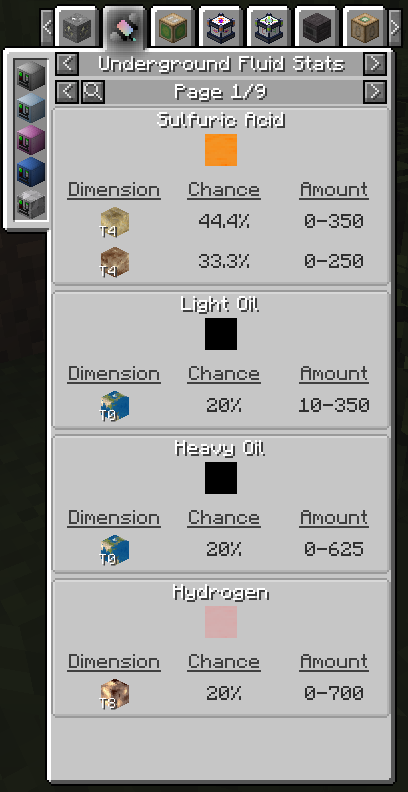
In NEI's Vein Stats, hovering a world under Generated world shows the vein's chance per ore chunk in that world. The Vein Stats, Small Ore Stats and Underground Fluid Stats pages have a new background. Their ore icons cycle through the stone types of the worlds the ore spawns in. Clicking the vein, ore or fluid name at the top of a page lists them all, where a See All button used to.
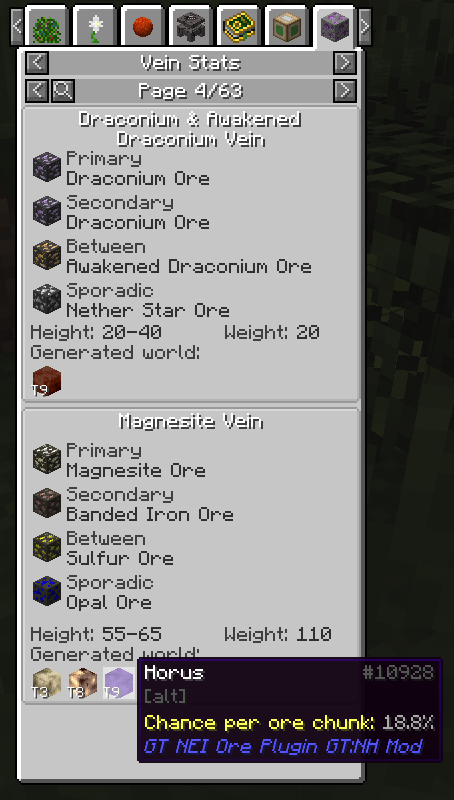
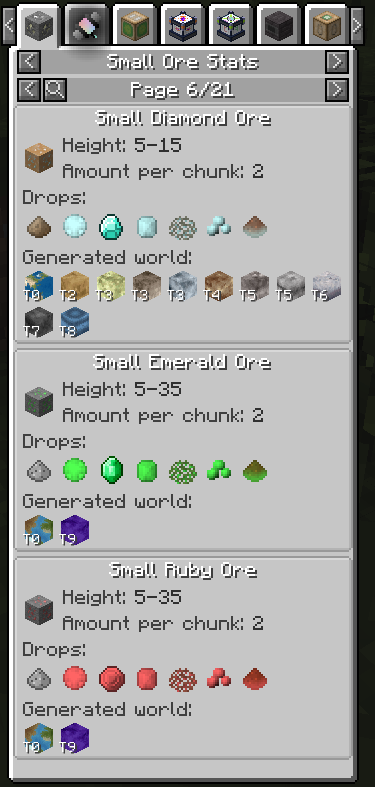
Shipped in: GT5-Unofficial #6537, GT5-Unofficial #6603
Drawers can face up and down
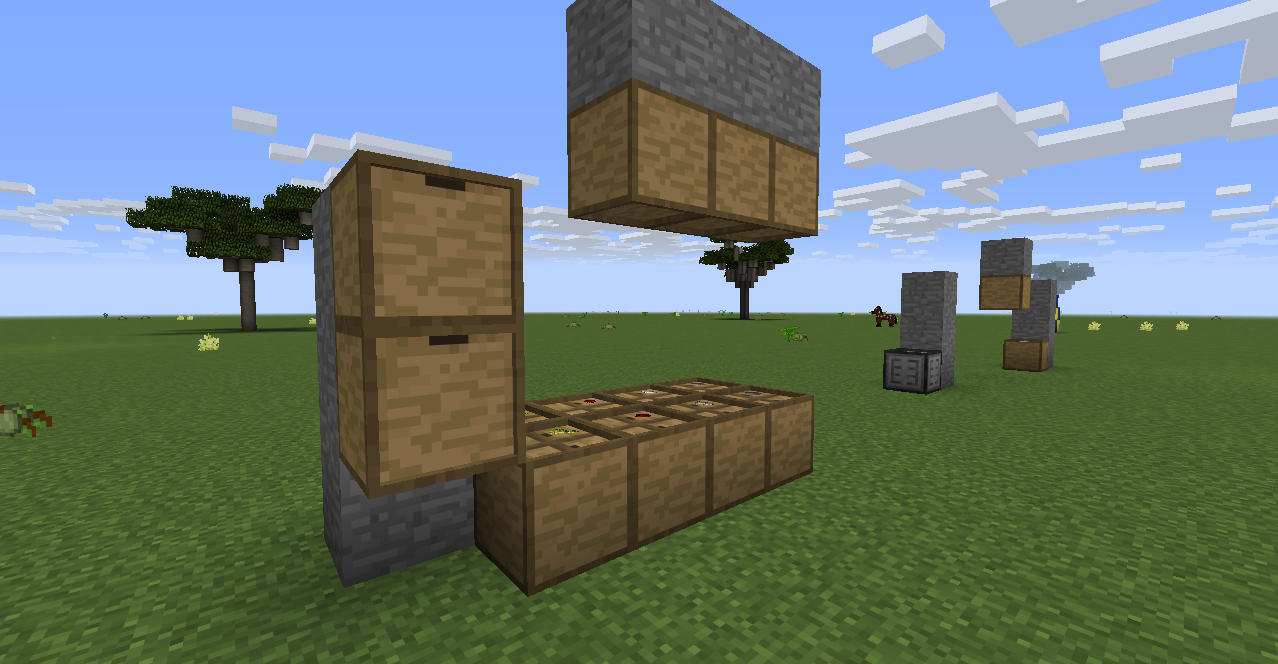
Drawers and the Drawer Controller can face up or down as well as the four horizontal directions. Look steeply down when you place one and its front faces up, or steeply up and it faces down at you. The JABBA dolly puts a drawer down the same way. It can now carry a Drawer Controller too.
Shipped in: StorageDrawers #74, Jabba #51
Shift-break clears covers and color
Breaking a GregTech machine while sneaking drops its covers as items and clears its paint. Pipes and cables drop their covers the same way. With Silk Touch the covers and paint stay on the block. An empty Super Tank or Quantum Tank broken this way also forgets its fluid lock.
Shipped in: GT5-Unofficial #6485, GT5-Unofficial #7611, GT5-Unofficial #7475
Watch on Discord - 1 video clip(s)
Russian translations for more mods
AngerMod, Gravitation Suite Neo, HoloInventory and YAMCore have a Russian translation now. Better Loading Screen shows its loading tips in Russian. The Russian item names in Iron Chests and Iron Tanks were corrected.
Shipped in: AngerMod #15, BetterLoadingScreen #32, Gravitation-Suite-Neo #31, HoloInventory #57, Yamcl #8, ironchest #41, Irontanks #17
Electric Prospector's Scanner: search, heading arrow, ore markers
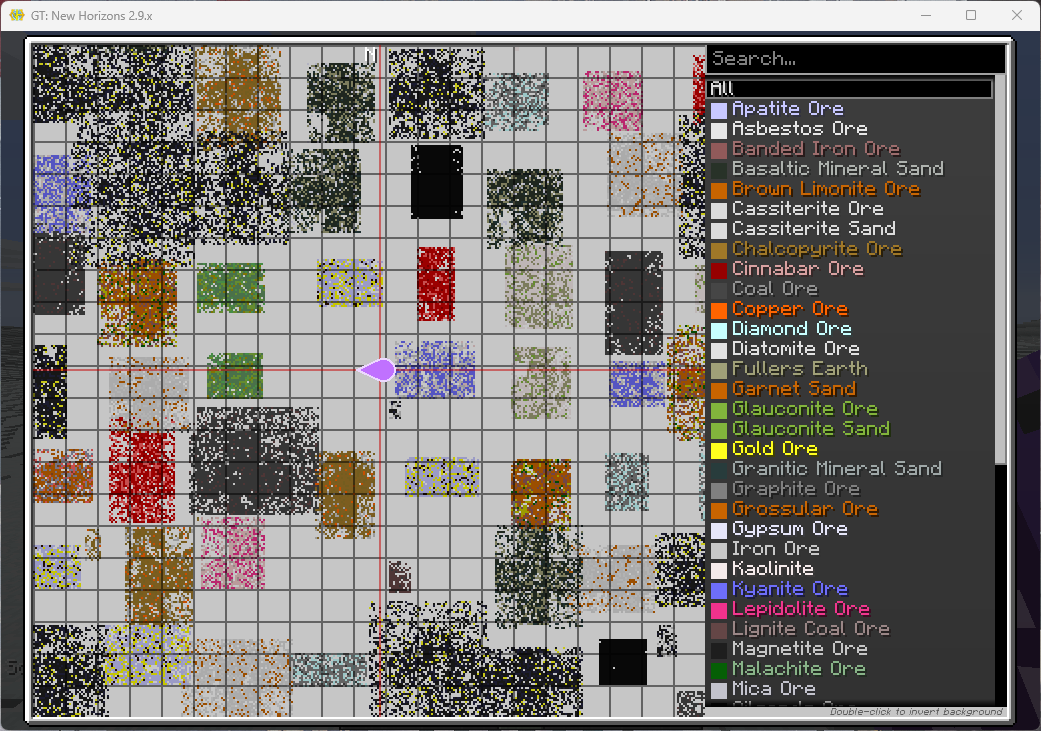
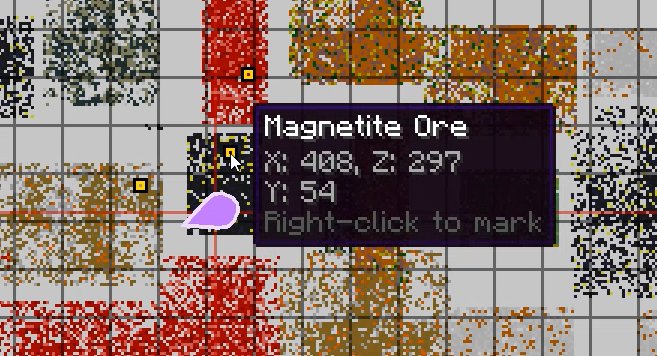
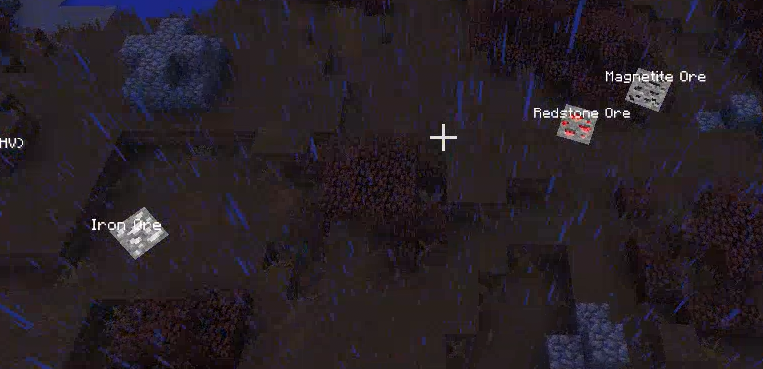
The Electric Prospector's Scanner map has a search bar for its ore list and an arrow that shows which way you face. Hovering an ore shows its X, Y and Z. Right-clicking it marks the block in the world with the ore's name for two minutes, and a second right-click removes the marker. The scan also finds ores from other mods now, such as Ancient Debris, Ardite and Cobalt.
Shipped in: GT5-Unofficial #7219, GT5-Unofficial #5153
Watch on Discord - 1 video clip(s)
Item trophies count however you get the item
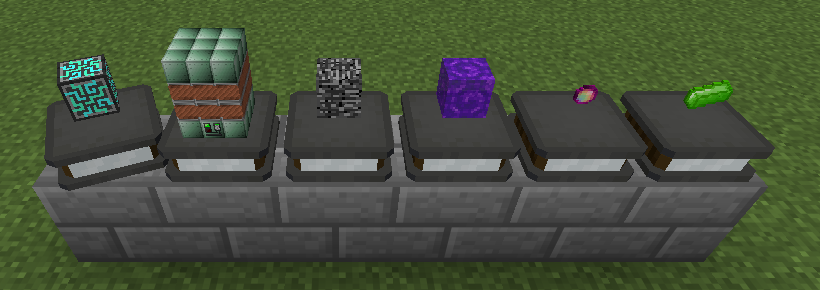
The pack's pick-up achievements, and the trophies they award, now unlock as soon as the item is in your inventory, however it got there: crafted, taken from a chest or a terminal, or a quest reward. Their descriptions say Obtain instead of Pick up. Every trophy also stands on a new pedestal.
Shipped in: Amazing-Trophies #22, Amazing-Trophies #29, GT-New-Horizons-Modpack #25925, Amazing-Trophies #30, NewHorizonsCoreMod #1872
World Selection Improvements
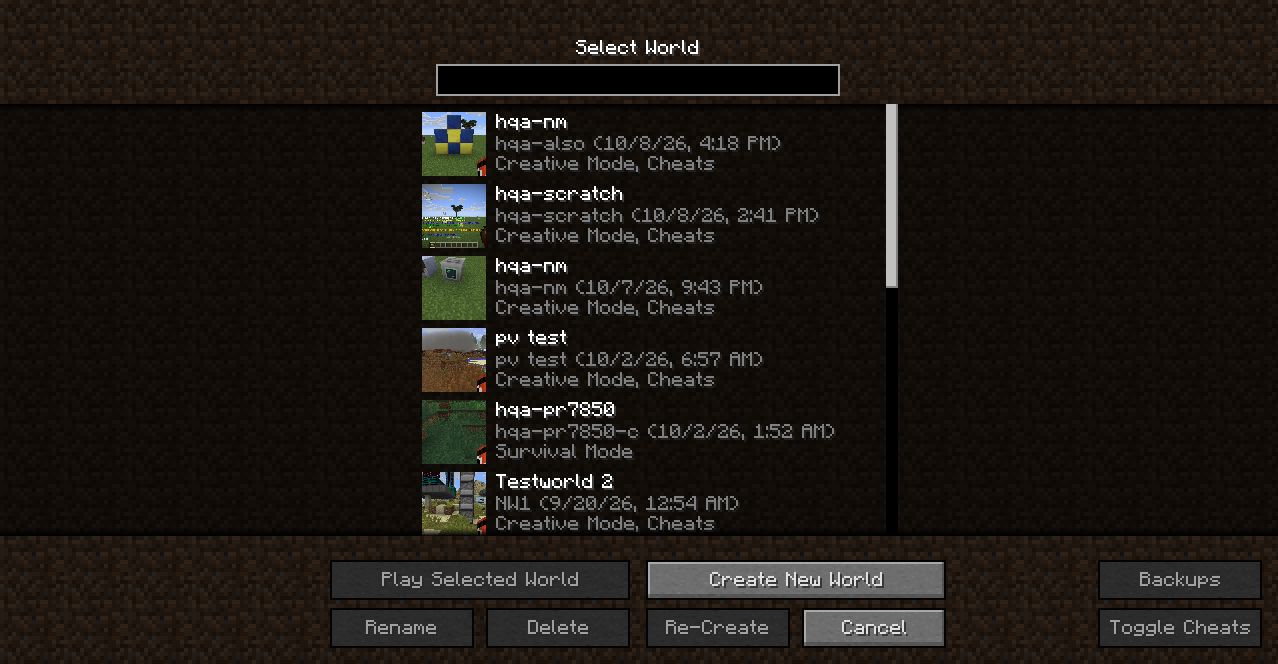
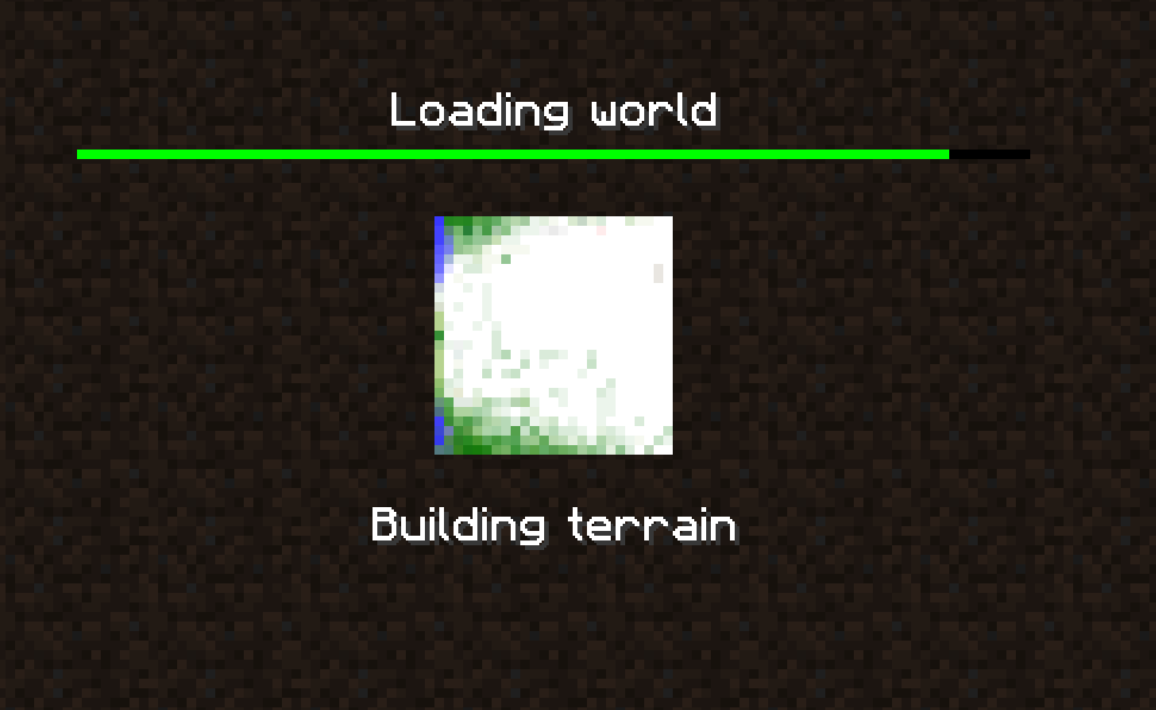
The singleplayer world list shows an icon for each world: a screenshot of your view, taken when you pause and quit the world. Loading a world shows a progress bar and a map of the spawn chunks, drawn in their terrain colors as they generate. A search bar above the list filters worlds by name or folder name.
Shipped in: Et-Futurum-Requiem #72, Et-Futurum-Requiem #79, Et-Futurum-Requiem #89
Watch on Discord - 1 video clip(s)
Infinity gear in Draconic Evolution's config GUI
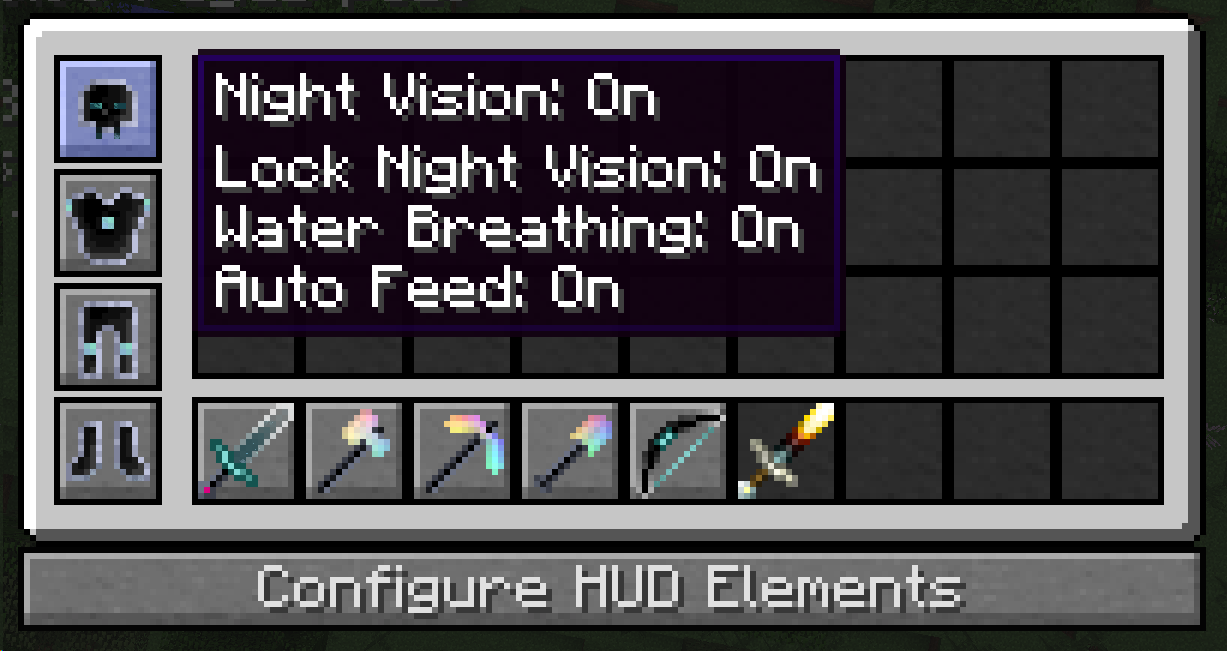
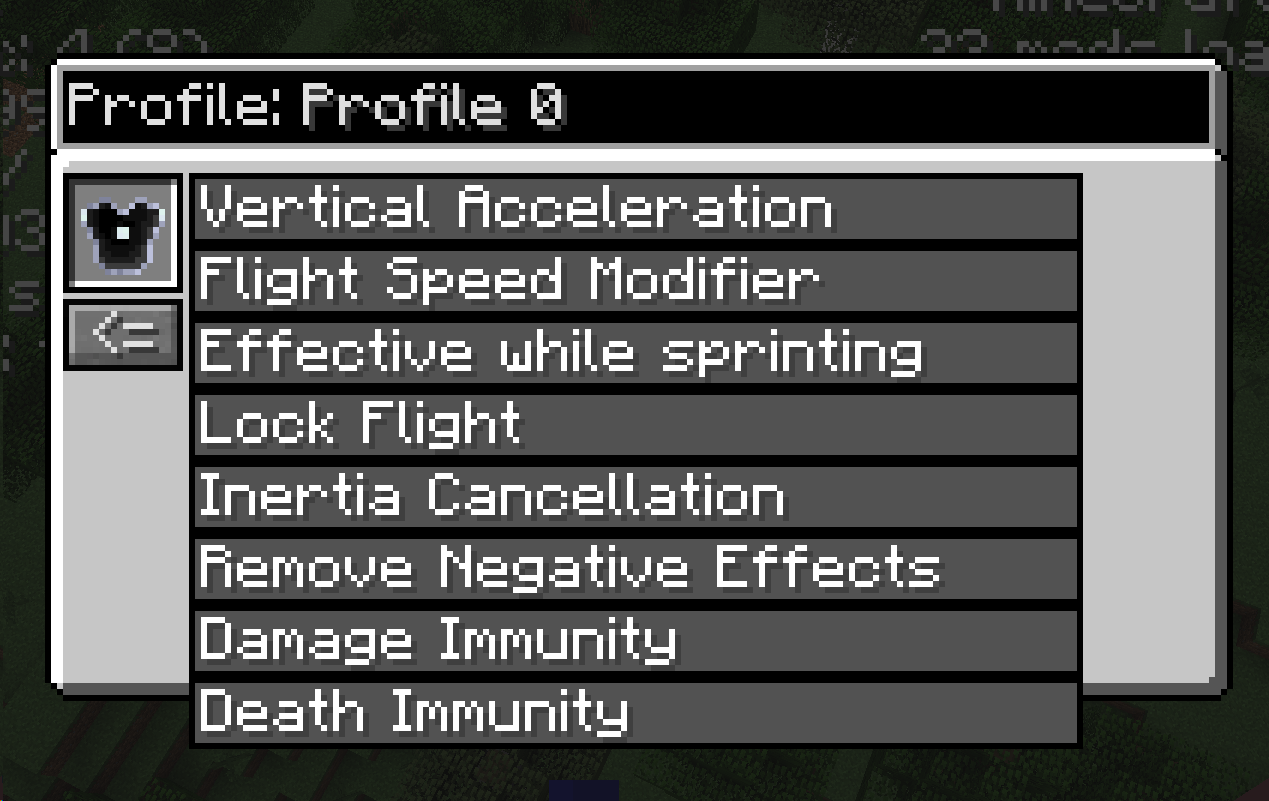
Infinity armor and tools can be set up in Draconic Evolution's Tool & Armor Config GUI. Infinity Armor takes the same settings as Draconic armor plus Avaritia toggles such as damage immunity, death immunity, auto feed and water breathing. The sword's damage, the pickaxe's hammer range, the axe's cleave range, the shovel's dig range and the bow's rapid fire and sword rain are adjustable too. The GUI's key is unbound by default: set Tool & Armor Config GUI in Controls.
Shipped in: Avaritia #83, Draconic-Evolution #102
Baubles slots in columns
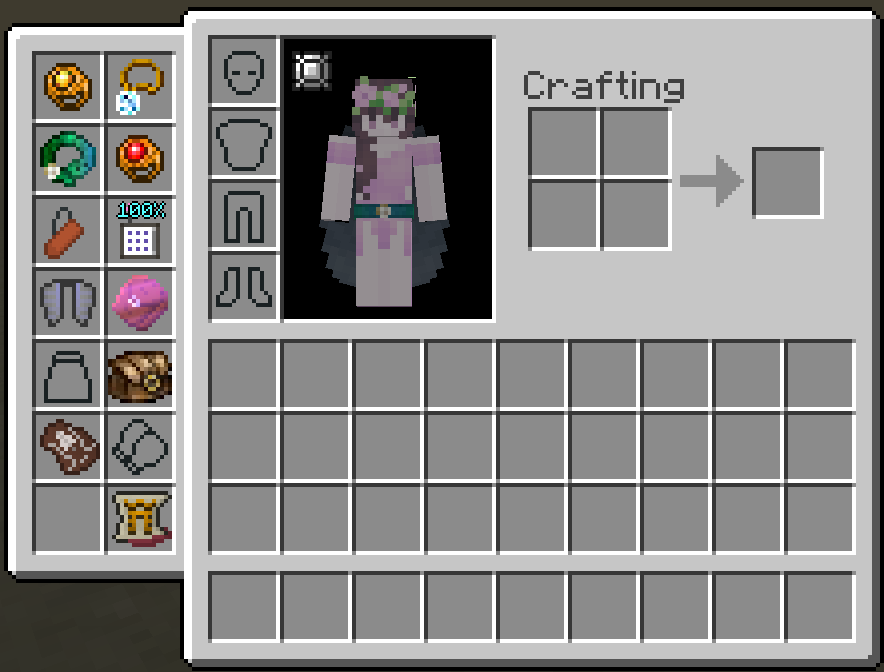
The Baubles inventory now spreads its slots across up to four columns instead of one long scrolling column. A scrollbar only appears when there are more than 32 bauble slots. Players who prefer the original single-column layout can restore it by setting maxColumns to 1 in the Baubles.cfg config file.
Shipped in: Baubles-Expanded #26
Recipe Counter for Multiblocks
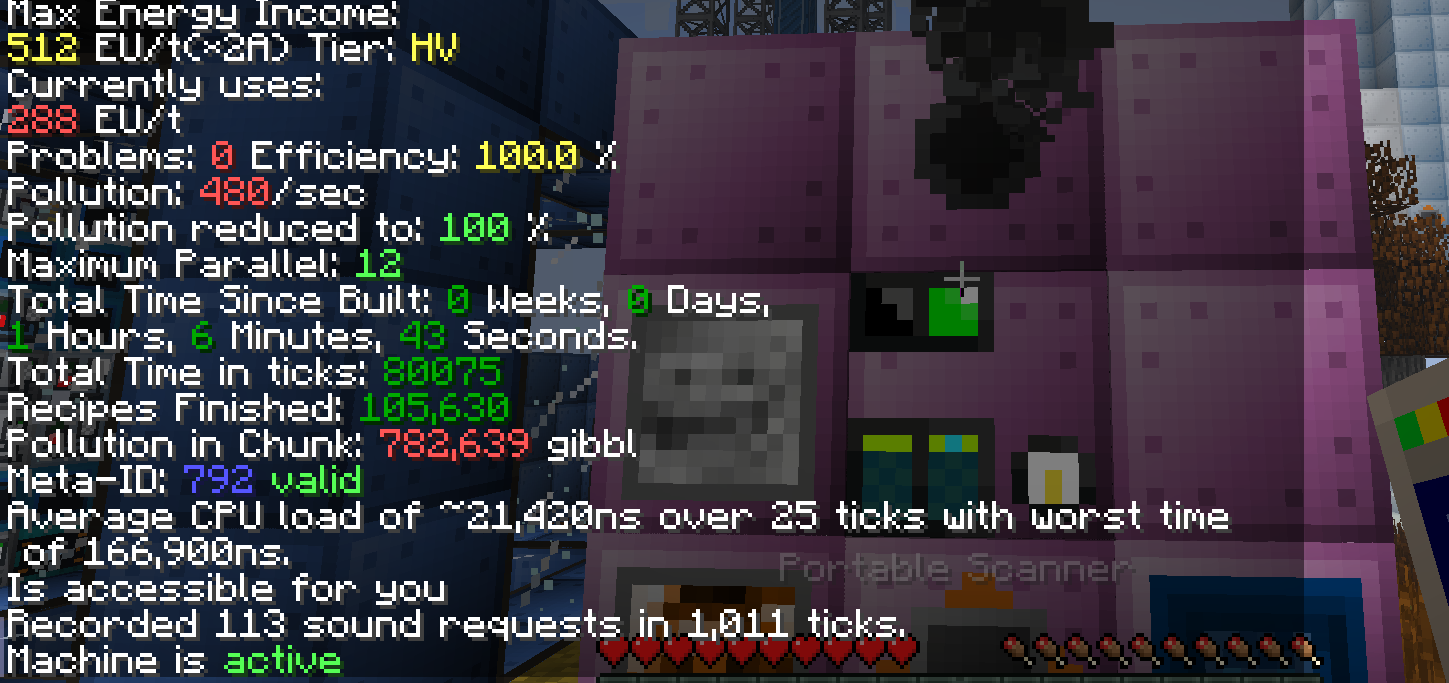
Every multiblock but the Primitive Blast Furnace now counts the recipes it finishes. A Portable Scanner on the controller prints the total as Recipes Finished, where each parallel counts as one recipe.
Shipped in: GT5-Unofficial #5710, GT5-Unofficial #5713
Stained glass facades on GregTech blocks
Stained glass AE2 Facades render see-through on GregTech machines, pipes, cables and frames. One block can also carry facades of different blocks or colors on different sides.
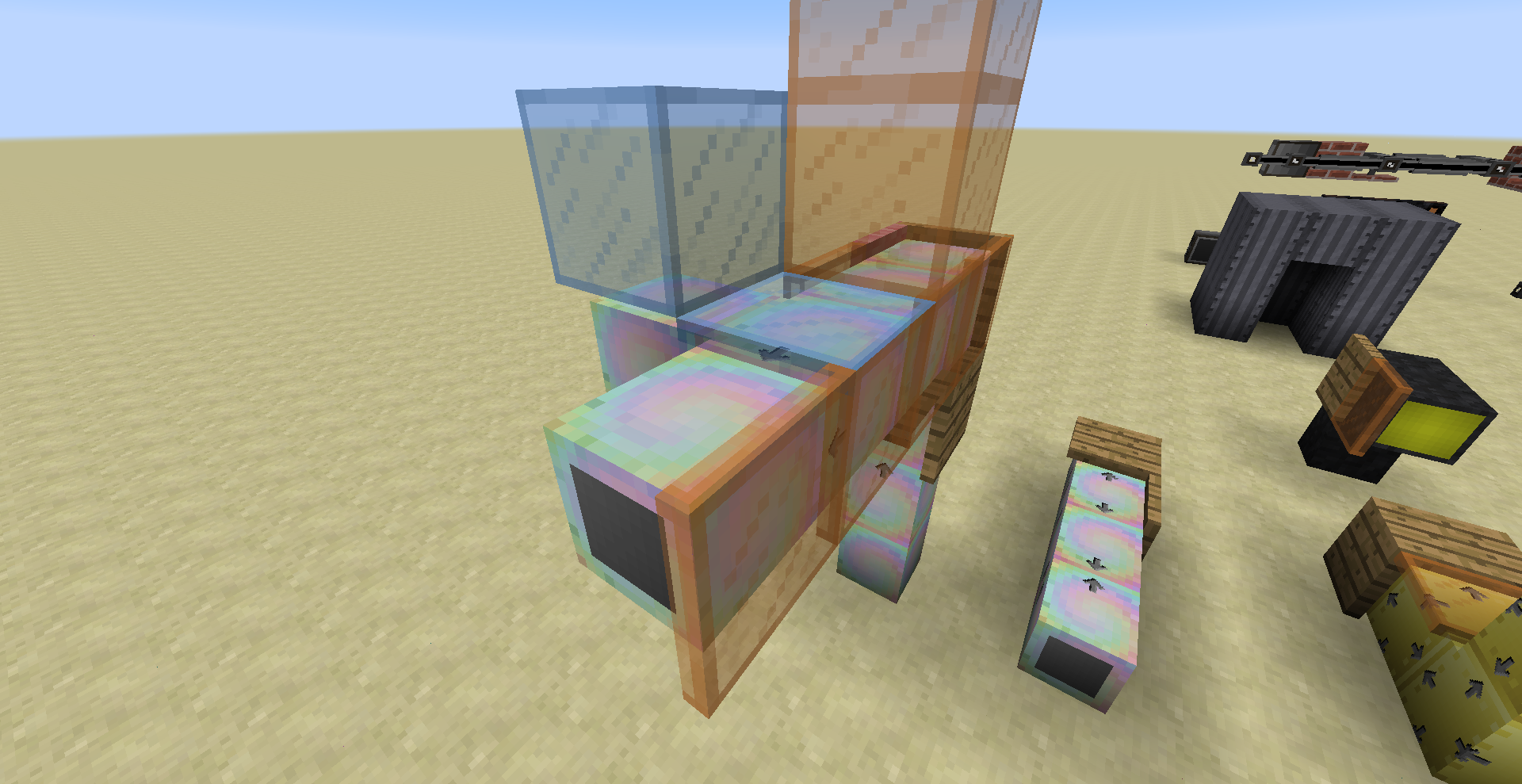
Shipped in: GT5-Unofficial #6142
Taskbar loading progress display
While the game loads, its taskbar button fills up with the loading progress on Windows and Linux. This comes with lwjgl3ify, so only the Java 17+ builds have it. It is on by default; setting showLoadingProgress to false in config/lwjgl3ify.cfg turns it off.
Shipped in: lwjgl3ify #281
Multiblock Sounds from Structure Center
Multiblock machine sounds now play from the middle of the structure instead of from the controller block, and large multis are heard further away: where every multi used to go silent at 16 blocks, a Mega Blast Furnace now carries to about 36. Multis that used to play their sound once when a recipe started, among them the Chemical Plant, Distillation Tower and Industrial Macerator, now loop it for as long as they run. The Mega Blast Furnace has a new sound.
Shipped in: GT5-Unofficial #5204, GT5-Unofficial #5155, GT5-Unofficial #5928, GT5-Unofficial #7957, GT5-Unofficial #7979
Thin lines for the Network Visualization Tool
The Network Visualization Tool is part of AE2 now and draws its links one pixel wide by default, so a large network reads as cables instead of a solid tangle. The width of dense and normal links is set separately with visualiserWidthDense and visualiserWidthNormal under client in config/AppliedEnergistics2/AppliedEnergistics2.cfg. Set from the in-game mod options, a new width applies at once.
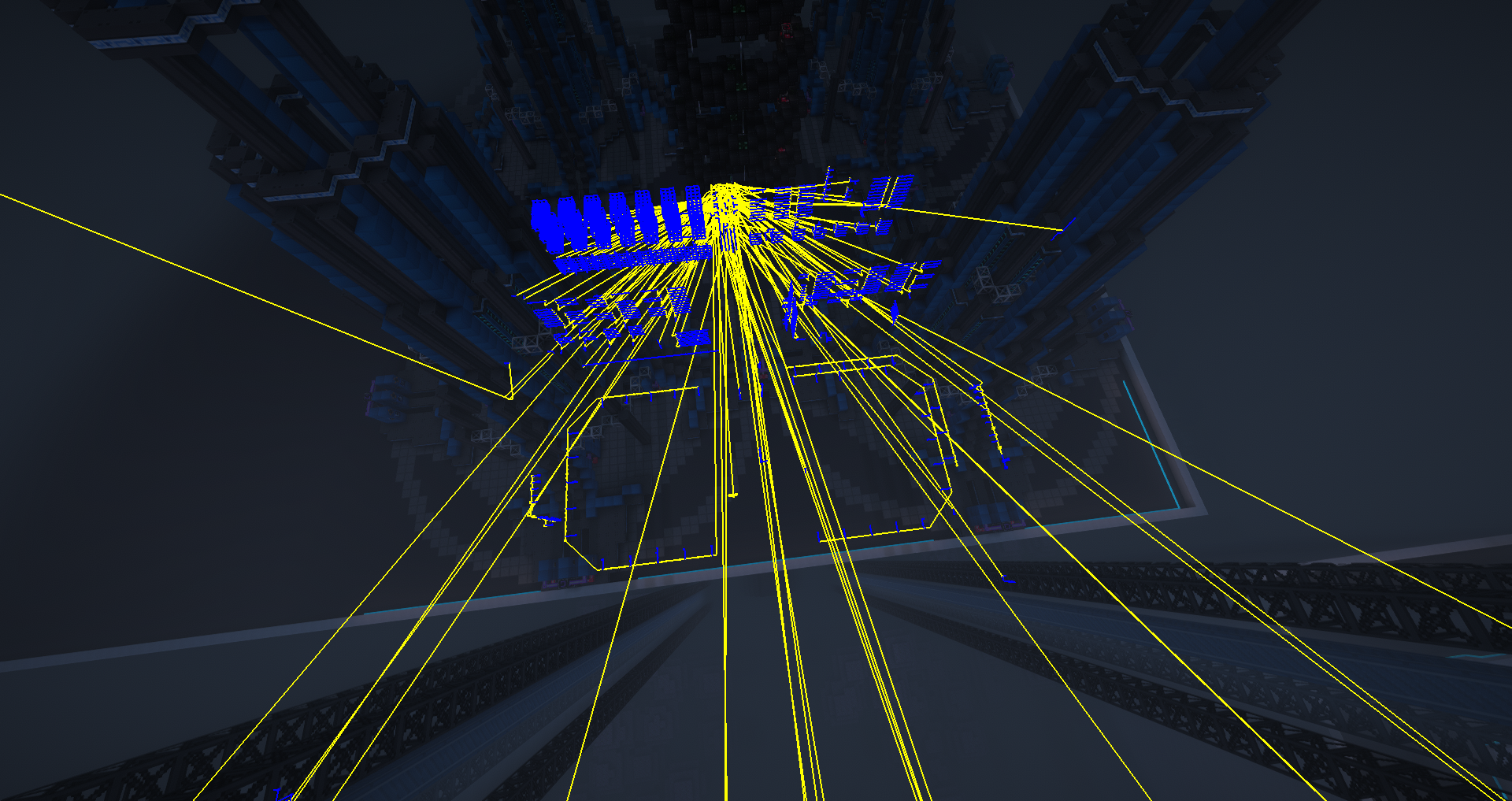
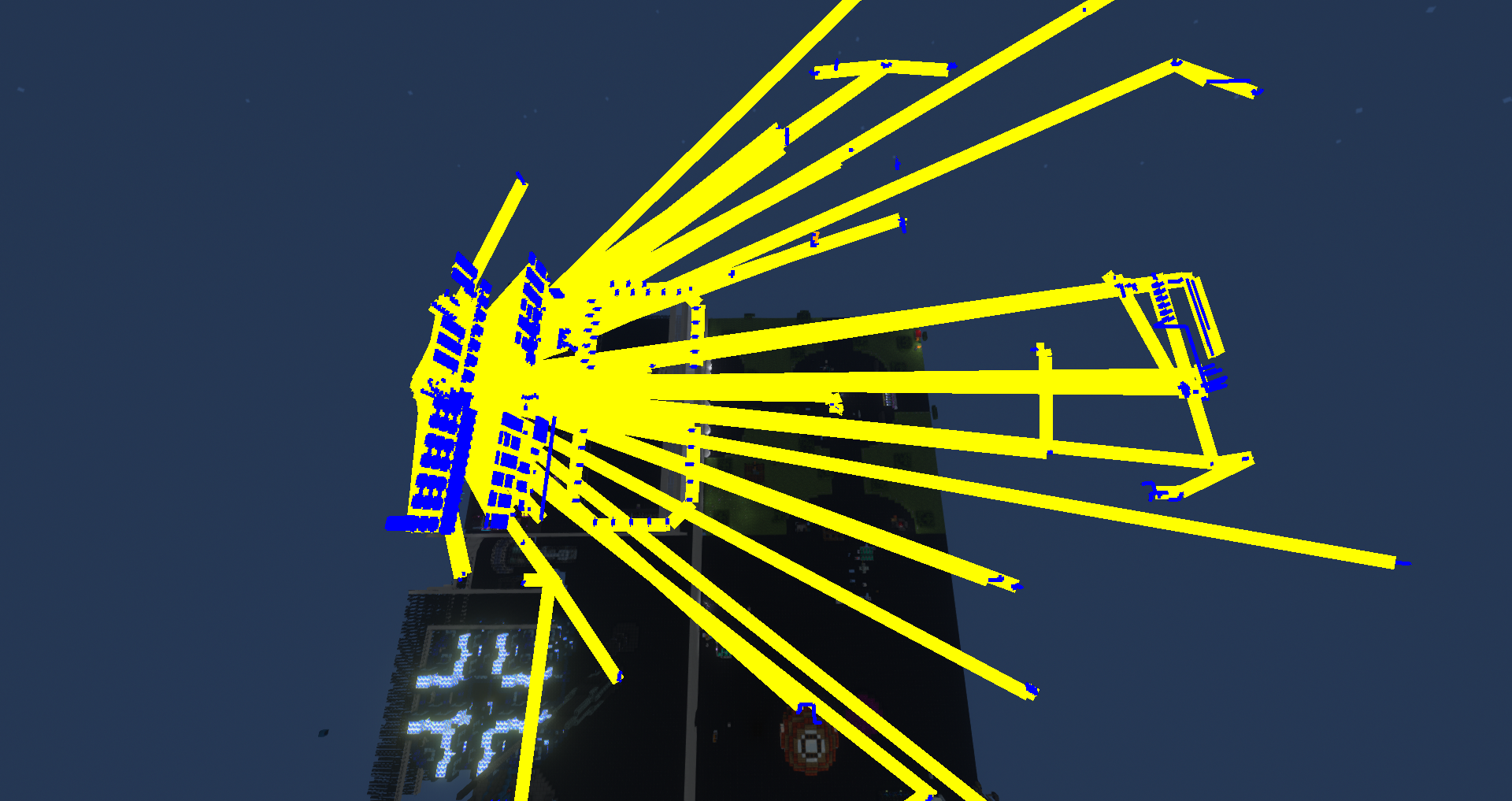
Shipped in: Applied-Energistics-2-Unofficial #1345, Applied-Energistics-2-Unofficial #734
Power Goggles settings screen
Power Goggles have a settings screen, opened with /pg config or a key you bind under Gregtech in Controls. It sets the colors of the chart, its labels and its background, and it can hide the power bar. A manual Graph Scale pins the chart to a minimum and maximum you choose. Reset All Settings brings the defaults back, and /pg measurements turns the measurements section on and off.
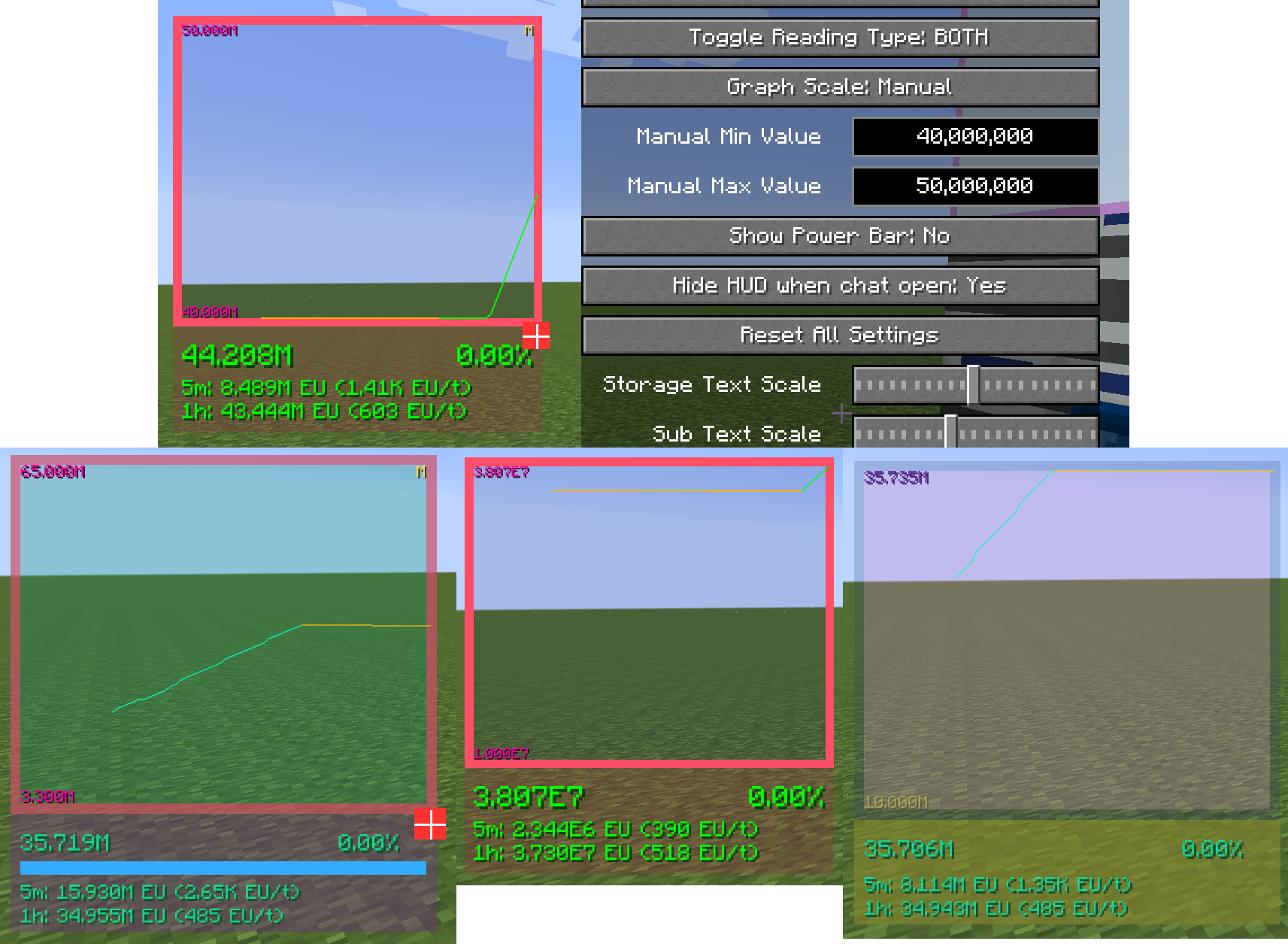
Shipped in: GT5-Unofficial #6013, GT5-Unofficial #6305, GT5-Unofficial #5008, ModularUI2 #158
Monster Repellator
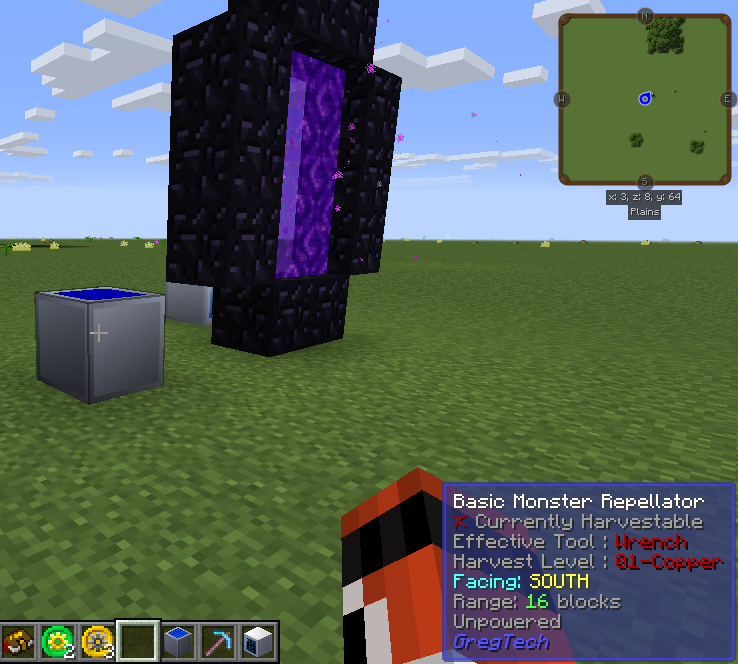
A Monster Repellator now stops Nether portals inside its range from spawning Zombie Pigmen. WAILA shows the range it covers at the moment, plus its EU/t when powered or an Unpowered line when not.
Shipped in: GT5-Unofficial #7915, GT5-Unofficial #7968
Uncertainty Resolver
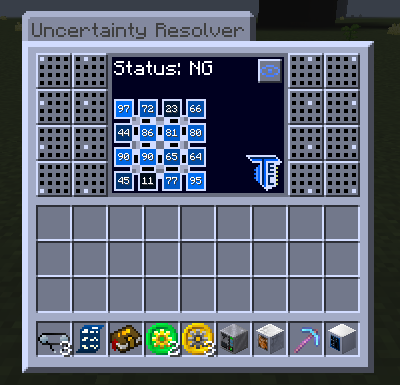
The Uncertainty Resolver's red and green lights now mark the section that actually needs balancing. In four of its five puzzle modes they used to point at the wrong one. A toggle above the TecTech logo prints each cell's 0-100 value on top of its blue shade, for players who cannot tell the shades apart. The hatch remembers the setting.
Shipped in: GT5-Unofficial #7958, GT5-Unofficial #8062, GT5-Unofficial #8072
Contributors
Everyone who authored, reviewed or co-authored a change on this page, with how many of them:
@Dream-Master (24), @Eldrinn-Elantey (10), @UltraProdigy (10), @Ranzuu (9), @Caedis (8), @Algent (6), @glowredman (6), @ABKQPO (5), @Nana-Sakura (4), @Pxx500 (4), @alppp (3), @DreamYao520 (3), @FrostyFire1 (3), @koolkrafter5 (3), @leagris (3), @mitchej123 (3), @Quetz4l (3), @Ruling-0 (3), @boubou19 (2), @cubefury (2), @Ethryan (2), @FourIsTheNumber (2), @Graymare (2), @Kogepan229 (2), @lc-1337 (2), @Nikolay-Sitnikov (2), @PlayfulPiano (2), @RecursivePineapple (2), @StaffiX (2), @tiffit (2), @VortexSo4 (2), @AnsonYeung (1), @AshVz (1), @Azusfin (1), @Benflex1 (1), @brachy84 (1), @Chi31415 (1), @chochem (1), @claude (1), @combusterf (1), @Connor-Colenso (1), @copilot-pull-request-reviewer (1), @danyadev (1), @eigenraven (1), @evgengoldwar (1), @Guvante (1), @IX-git (1), @Jimbno (1), @Kynake (1), @LightInTheFire (1), @loenaaaa (1), @MassAnarchyy (1), @MLGfruitshoot (1), @NeOzay (1), @serenibyss (1), @shironakoushi (1), @sisyphussy (1), @Spaghetti-OberNub (1), @TheYoingLad (1), @vermz99 (1), @Worive (1), @Yoshy2002 (1)